

What Is the EcoDownloader Stylish Text Generator?
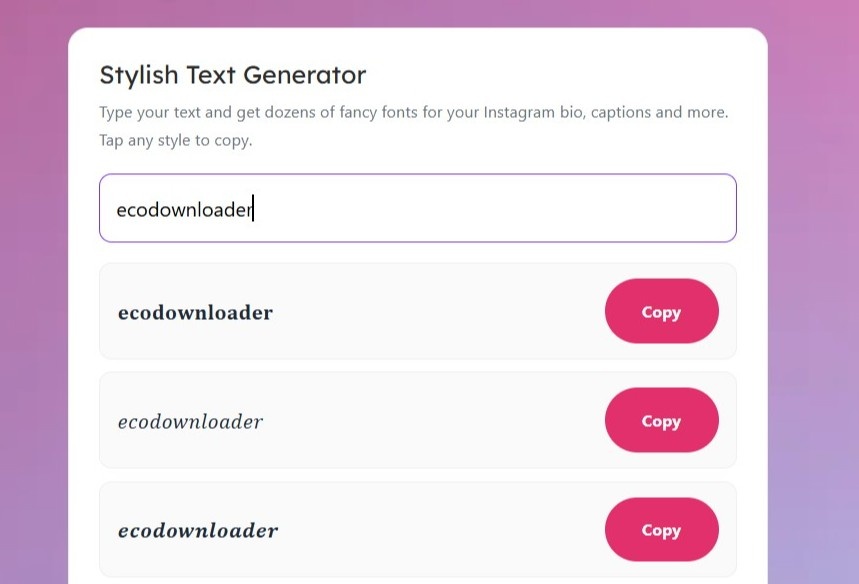
A stylish text generator is a free online tool that turns your normal text into dozens of fancy fonts and cool letter styles that you can copy and paste anywhere. Instead of plain, boring characters, you get eye-catching text in styles like 𝓢𝓬𝓻𝓲𝓹𝓽, 𝐁𝐨𝐥𝐝, Ⓑⓤⓑⓑⓛⓔ, and many more. Just type once, and every style updates instantly — then tap to copy the one you like.
These styles work because they use special Unicode characters, not images or installed fonts. That means the text stays as real text you can paste directly into your Instagram bio, captions, comments, usernames, and more — without anything breaking.
With EcoDownloader's Stylish Text Generator, turning plain text into stylish, eye-catching fonts takes just a few clicks.
Whether you're designing the perfect Instagram bio or making your captions pop, here's how to do it:

Start by heading to the official Ecodownloader.com website. Navigate to the Stylish Text Generator tool, conveniently listed among its features.


In the provided field, type or paste the text you want to style. This can be your name, a word, or a full phrase — whatever you'd like to turn into stylish fonts.


Hit the "Copy" button next to your favorite style, and the text is instantly ready to use. No waiting, no fuss—it's that simple.

Once the downloaded bio from Instagram appears, you can easily copy it to your clipboard. Use it for later inspiration, save it to your files, or share it with your team, friends, or collaborators.
Yes, it’s 100% free. There’s no sign-up, no download, and no limit on how many styles you can generate or copy.
Yes. Because the styles use real Unicode characters, you can paste them directly into your Instagram bio, captions, comments, and username, and they’ll display correctly on most devices.
Each app and device renders Unicode characters slightly differently. A few rare styles may not show perfectly everywhere, but the most popular ones — like bold, italic, and script — work almost universally.
Yes — the styles use real Unicode characters, so you can paste them straight into your Instagram bio, captions, and username, and they’ll display correctly on most devices.