How do Instagram accounts get hacked, and could yours be next? In today’s digital world, cybercriminals lurk behind innocent-looking messages, tempting links, and fake login pages, ready to strike when you least expect it. Instagram is a prime hunting ground, and no one is immune. From influencers to everyday users, hackers use cunning tactics to steal identities, lock users out, and demand ransoms.
Understanding their tricks isn’t just smart; it might be the only thing between you and a digital disaster.
What Are the Most Common Methods of Instagram Hacking?
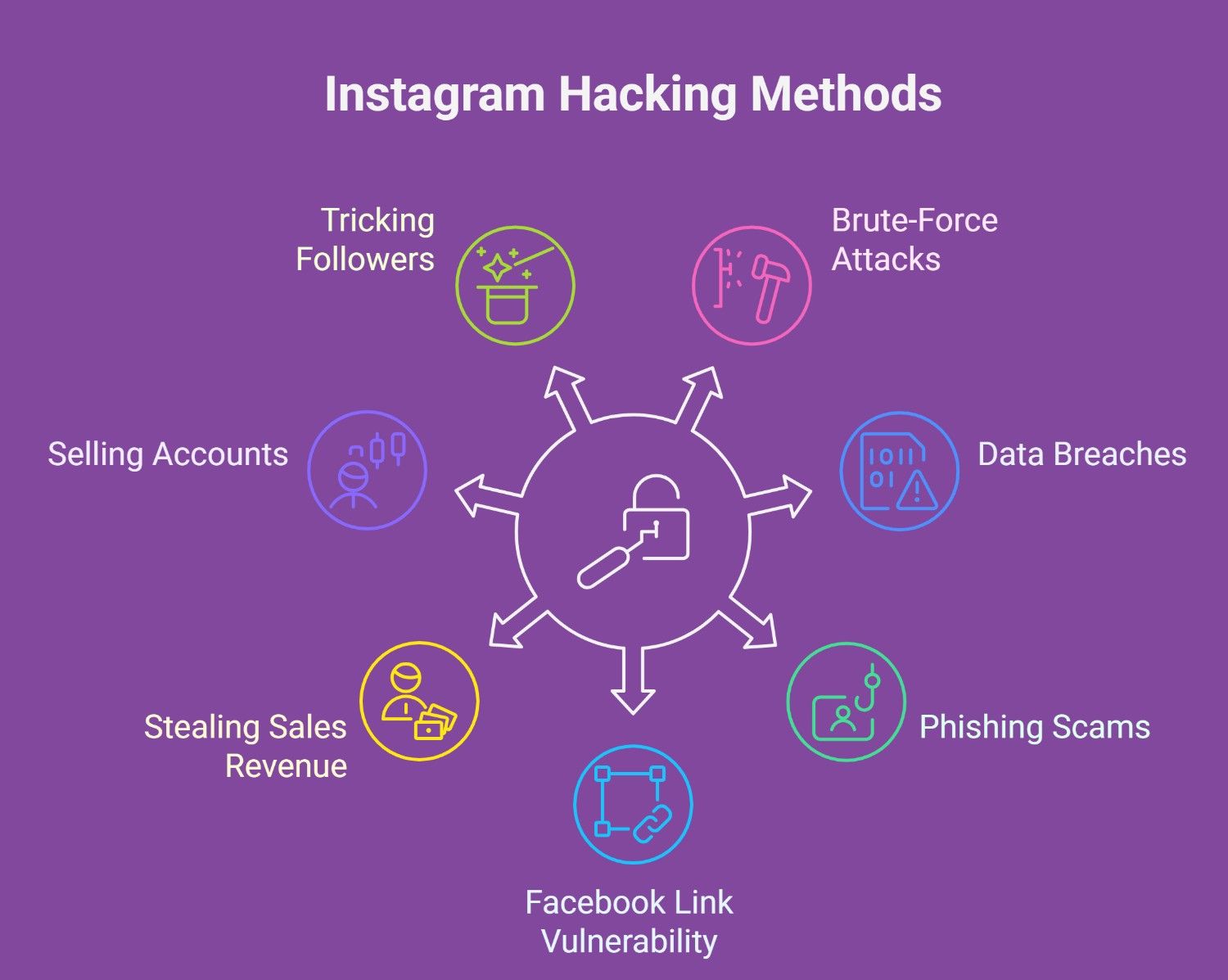
Cybercriminals employ numerous strategies to compromise Instagram accounts. Understanding how Instagram accounts get hacked and how these strategies work before it’s too late and taking steps to safeguard yourself is crucial.
These attacks usually take place as follows:
· Weak Passwords
Hackers can more easily gain access to your account if you use passwords that are simple to figure out. Cybercriminals can quickly use automated tools to crack these passwords without robust security.
· Brute-Force Attacks
All a hacker needs is your username and some programming knowledge. Many tools, often written in Python, are available on platforms like GitHub that automate guessing your password.
These tools try different password combinations over and over until they find the right one. They typically use proxies to disguise their activity to avoid being blocked by Instagram for too many failed attempts.
· Data Breaches
Sensitive user data are made public when a business suffers a data breach protection. Criminals can access your Instagram account if you use the same password for all your accounts.
· Phishing Scams
Via phony login pages or urgent messages, cybercriminals may pose as Instagram representatives and fool you into divulging your credentials. These frauds can result in an instant account compromise and are frequently convincing.
· Facebook Link Vulnerability
Since Meta owns Facebook and Instagram, many people connect their accounts for easier access. While this can be convenient, it also poses a risk. If someone hacks your Facebook account, they could get into your Instagram, too.
· Stealing Sales Revenue
Hackers frequently go after social media accounts with large followings, especially those of influencers who earn a commission from product recommendations through affiliate links. When a hacker takes control of such an account, any resulting sales profits are redirected to them instead of the rightful owner. According to the ITRC report, 51% of victims said they lost income this way.
· Sell Your Account on the Black Market
Hackers may misuse your account for illegal activities, like arranging drug deals or requesting explicit content, damaging your reputation and leading to legal trouble. They might also sell your account on the dark web, where cybercriminals buy accounts to spread harmful content or scam others. While accounts often sell for as little as $45, the consequences for you can be severe.
· Tricking Your Followers
Hackers often use hijacked accounts to promote fake cryptocurrency deals, pretending to be you. They’ll claim your followers can make quick money by investing in Bitcoin or similar currencies.
In reality, it’s just a scam to take their cash. According to Lee, one person said their followers lost nearly $10,000.
How to Solve Your Instagram Account from Cyber Threats and Hacking?
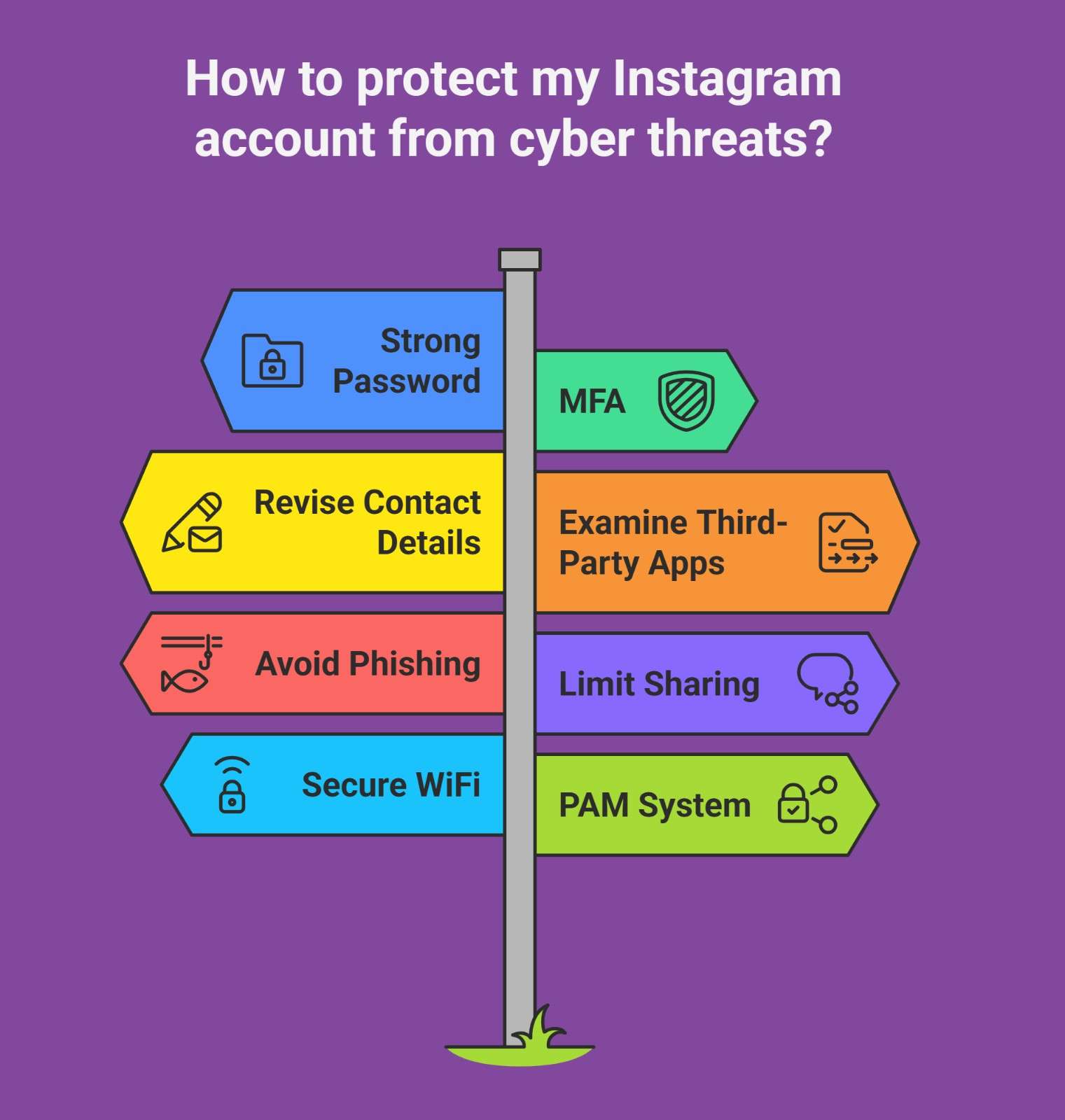
Protecting your Instagram account from cyber threats is crucial to maintaining privacy and security. Here are some essential steps you can take:
· Make Sure Your Password Is Strong
A strong password consists of a minimum of 16 characters and a combination of capital and lowercase letters, numbers, and symbols. Password managers are the ideal resources for creating and storing these complicated passwords.
Doing this reduces the possibility of credential-stuffing attacks and ensures your password is distinct for every account.
· Multi-factor Authentication (MFA) and Why It’s Important
An additional protection degree is MFA, which is a strong security feature. Hackers cannot access your Instagram account without the second authentication step, even if your password is compromised. MFA options consist of:
- Time-Based One-Time Password (TOTP): This is the most secure method, which provides a 6-digit code that changes continuously and is generated by an authenticator app such as Google Authenticator.
- SMS Text Verification: This method texts a code to your phone for verification, but it’s less secure than TOTP.
- WhatsApp Authentication: In some countries, this method is available. It uses WhatsApp to send the code rather than SMS.
- To enable Instagram MFA, go to your profile, select Settings, tap on Password and Security, and then follow the instructions.
- Setting Up Instagram Login Alerts: To be notified each time someone accesses your account from an unfamiliar device, set up login alerts. These alerts can be sent via email or in-app notifications on Instagram. This enables you to identify security breaches promptly.
· Revise Your Contact Details
Verify that your phone number and email address are correct and up to date. This guarantees that if it becomes necessary, you can quickly restore your Instagram account. You can change your contact information in the account settings under Personal Details.
· Examine the Permissions of Third-Party Apps
Many users unintentionally allow access to third-party apps to their Instagram accounts. Although some apps might be safe, others might be dangerous. If there are any third-party apps that you no longer use, periodically check and remove their permissions.
· Steer Clear of Phishing Scams
You should be wary of messages purporting to be from Instagram, particularly those that ask you to log in using a link. Always ensure the link takes you to an official Instagram website and confirms the email address is valid (Instagram emails will come from @instagram.com).
· Don’t Share Anything on Instagram
Decide to make your account private and only accept follow-up requests from individuals you know. Therefore, there is a lower chance of running into scammers or malicious accounts.
· Use WiFi Networks that Are Secure
Hackers can intercept data using Man-in-the–Middle (MITM) attacks on public WiFi networks. Always join networks that are reliable and secure. MITM attacks occur when hackers intercept and manipulate communications between two parties to steal data.
· Privileged Access Management (PAM) system
Only authorized users can make changes thanks to the Privileged Access Management (PAM) system regulating access to sensitive information and systems.
- Passwordless Authentication: Integrating PAM tools can assist companies in managing those who have access to sensitive platforms such as Instagram accounts. Passwordless authentication removes the need for passwords entirely and greatly increases security by allowing users to log in using biometric features like fingerprints or facial recognition.
- Dark Web Monitoring: Services such as Dark Web Monitoring can notify you if your Instagram login credentials are discovered on the dark web. This preventative step lets you update your passwords before hackers exploit the information.
- Ransomware Protection Tools: If you handle sensitive data on Instagram, use ransomware protection tools to safeguard your account. This lessens the likelihood of harmful software infecting your entire device.
Summarizing
Now that you know “How Do Instagram Accounts Get Hacked?”, don’t just scroll past; secure your account like a pro. A few smart moves today can save you from a digital nightmare tomorrow. So, act now and strengthen your password, turn on MFA, and stay alert.
Is this guide helpful? Please share it, save it, and drop your thoughts below. Be sure your voice helps others stay safe, too.
Do not forget Your account. Your rules. Keep it that way.
FAQ:
How can I protect my Instagram account from being hacked?
Use strong passwords, enable MFA, set up login alerts, and avoid phishing scams.
What is Multi-factor authentication (MFA), and how does it work for Instagram?
MFA requires two or more verification steps to access your account, adding an extra layer of security.
How do I set up login alerts on Instagram?
Go to Settings and follow the instructions to enable login alerts.
How do I identify phishing scams on Instagram?
Be cautious of suspicious login requests and ensure the link leads to the official Instagram website.
What should I do if my Instagram account is compromised?
Change your password, update contact details, and use Instagram’s recovery options to regain access.