Many of you have experienced this: you save IG posts regularly but then struggle to locate them. So, how can you find saved media on Instagram?
Maybe you saved a recipe you wanted to try over the weekend, a funny meme to share later, or a dress you wanted to show a friend, but when the time comes, it seems lost.
In this guide, you’ll learn how to view, organize, and manage your saved Instagram posts using the mobile app and desktop browser. Let’s get started.
(2) Methods to Find Saved Media on Instagram
The platform bookmarks allow you to store, organize, and find archived posts like recipes, quotes, and outfit ideas in collections, creating a personal archive accessible on Android, iOS, or the web for easy content management.
Learn how to locate your stored content quickly with these simple steps.
¨ Using the Instagram App (iPhone, iPad, or Android)
If you’re using the mobile app on your iPhone, iPad, or Android device, there’s a simple way to revisit and find saved media on Instagram:
- Launch Instagram: Open the app on your device and ensure you’re logged in. Tap your profile icon at the bottom right to open your Instagram profile menu.
- Open the Menu: Tap the ☰ icon (three horizontal lines) at the top-right of your profile page. This will bring up the full menu of account settings and features.
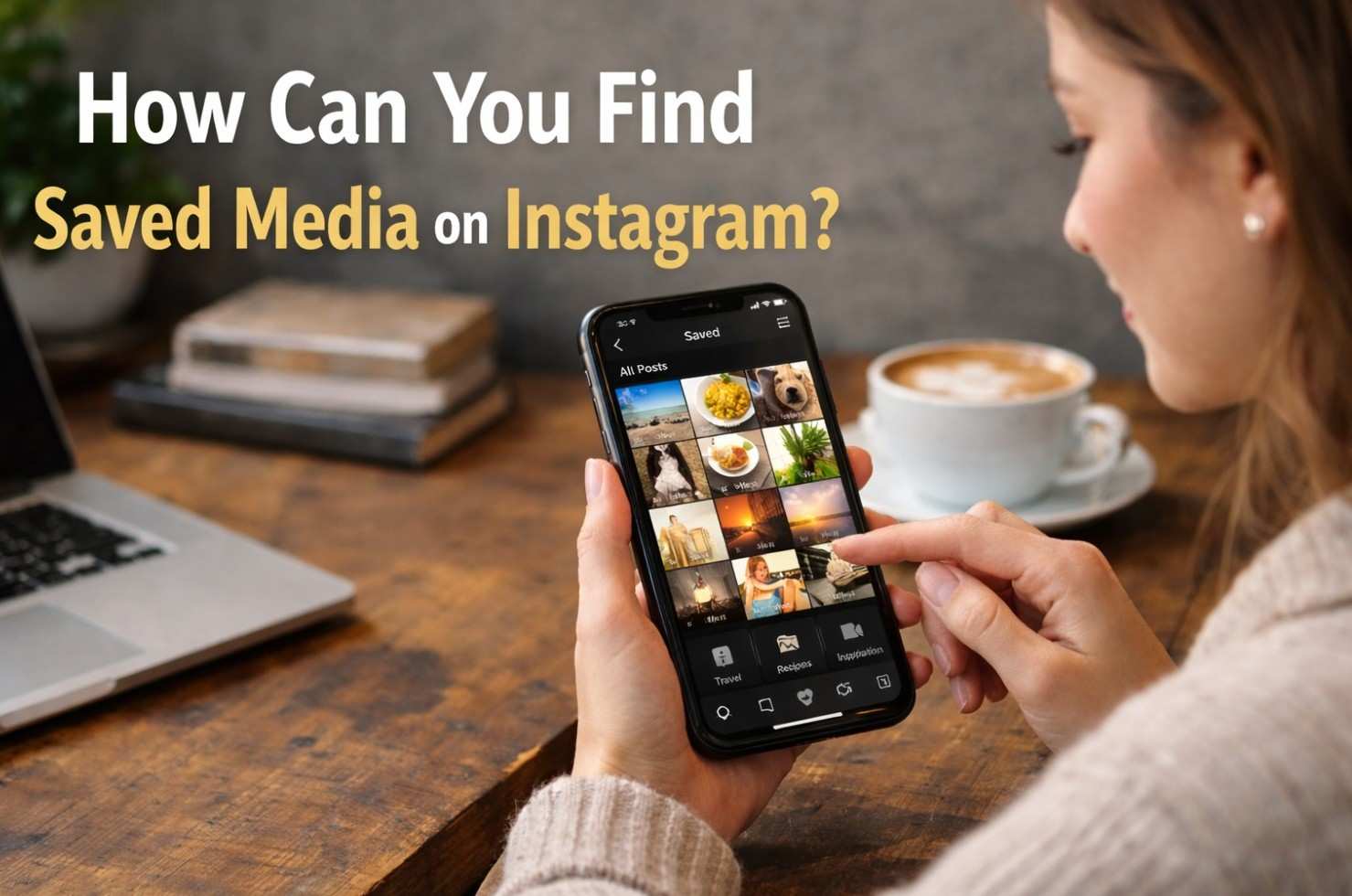
- Go to Saved Posts: Tap Saved. This will open your Instagram bookmarks and allow you to see all your saved content.
- Choose a Collection: Tap All Posts to view every item you’ve saved.
- Tip: Want to clean up your bookmarks? To remove saved Instagram posts, open them and tap the bookmark icon again to unsaved them.
¨ View Instagram Saved Posts on a Web Browser
Do you prefer using your PC? You can still access your Instagram saved posts via the desktop version. Here’s how:
- Visit Instagram Online: Go to instagram.com and sign in with your account credentials.
- Open the Profile Menu: To access the Instagram profile menu, click the ☰ icon in the lower-left corner of the screen.
- Click on Saved: Under the Your Activity section, click Saved. This will open your Saved folder, storing all bookmarked Instagram posts.
- Browse Your Saved Content: Click All Posts or one of your collections to browse saved content. This is a great way to manage Instagram posts you want to reference later.
How to Organize Saved Media on Instagram?
Managing your saved content ensures your bookmarks remain functional and clutter-free. Instagram lets you organize posts into collections for easy access.
- Group by theme such as “Recipes,” “Fitness,” “Interior Design,” etc.
- Use clear names for collections
- Periodically review and clean up old or irrelevant posts
- Add to an Existing Collection
- Tap the bookmark icon on the post you want to organize.
- Select “Save to Collection.”
- Choose from your existing collections.
- The post will be added to the selected collection.
Where Do Saved Media from Instagram Direct Messages Go?
If you’ve saved media from DMs, this guide shows you how to access downloads on your phone on both iPhone and Android devices. It details the typical locations to find saved media on Instagram:
¨ On iPhones or iPads (iOS)
When you save Instagram DMs to your iPhone or iPad, the media files are usually added directly to the Photos app. Here’s where to look to see them:
- Check the “Recents” or “Camera Roll” album: Saved images and videos typically appear in these albums, depending on your iOS version.
- Use the “Search” feature in Photos: Type keywords like “Instagram” or scroll by date to locate recent downloads.
- Ensure media saving is enabled in Instagram settings: Go to Instagram Settings > Account > Original Photos and enable “Save original photos” if applicable.
- Refresh the Photos app: Close and reopen the Photos app to reload new media files.
- Check your iCloud Photos settings: Go to Settings > Photos and ensure iCloud Photos is enabled. Sync issues can delay showing recent downloads.
- Look at the Instagram app: Saved posts (not DMs) are in your Saved collection and accessible via your profile’s menu.
¨ On Android Devices
If you’re trying to find where Instagram DM downloads go on Android, here’s how to locate them:
- Open the Gallery or Google Photos app: Most images and videos saved from Instagram DMs will appear in your default media viewing app.
- Check the “Downloads” folder: Go to Internal Storage > Downloads using your File Manager. This is a common location for saved files.
- Look under Pictures > Instagram: Navigate to Internal Storage > Pictures > Instagram. This folder may contain DM media or photos/videos you uploaded via Instagram.
- Use a File Manager app: If files aren’t visible in your Gallery, open your device’s file manager and manually browse storage directories.
- Search by file type: To track down media from Instagram, use your file manager’s search function and filter by recent .JPG, .PNG, or .MP4 files.
- Restart or refresh your Gallery app: If newly saved images don’t appear, simply restarting your device or refreshing the Gallery may help them appear.
How to Download All Your Instagram Data? (Photos, Videos, Messages)
If you want a full backup of everything you’ve shared on Instagram, using the official Data Download feature is the safest method.
This method provides access to all uploaded photos, videos, messages, and account information in one downloadable archive.
- On Mobile
- Open the Instagram app.
- Go to Settings > Privacy and Security.
- Tap on Data Download.
- Enter your email address and request your data.
You’ll receive a download link via email, which can take up to 48 hours.
- On Desktop
- Visit instagram.com/download/request
- Log in to your Instagram account.
- You’ll be redirected to a page with the heading “Get a copy of what you’ve shared on Instagram.” It’s at the top of the page, just above the email entry field.
- Submit a request to download your data.
Ending Notes
Managing Instagram collections is easy once you know “How can you find saved media on Instagram?” and this can save you time. Organize your bookmarks today for a smoother, more efficient Instagram experience.
How do you organize your preserved posts on Instagram? Do you have any tips or tricks to share? Let us know in the comments!
How do I find saved Instagram items on my phone?
They can be found in your device’s Photos or Gallery app.
How can I organize my saved posts on Instagram?
You can organize saved posts into collections by tapping the bookmark icon on a post and selecting “Save to Collection.”
How can I find saved posts from Instagram DMs?
They are stored in your Photos or Gallery app under the “Recents” or “Instagram” album.
How can I view saved posts on a web browser?
Visit Instagram.com, click the profile menu, and select “Saved” under “Your Activity” to view your saved posts.
How do I find saved media on Instagram such as Reels, and photos?
You can go to your Instagram profile, tap the three lines, and select “Saved” to view your saved media.