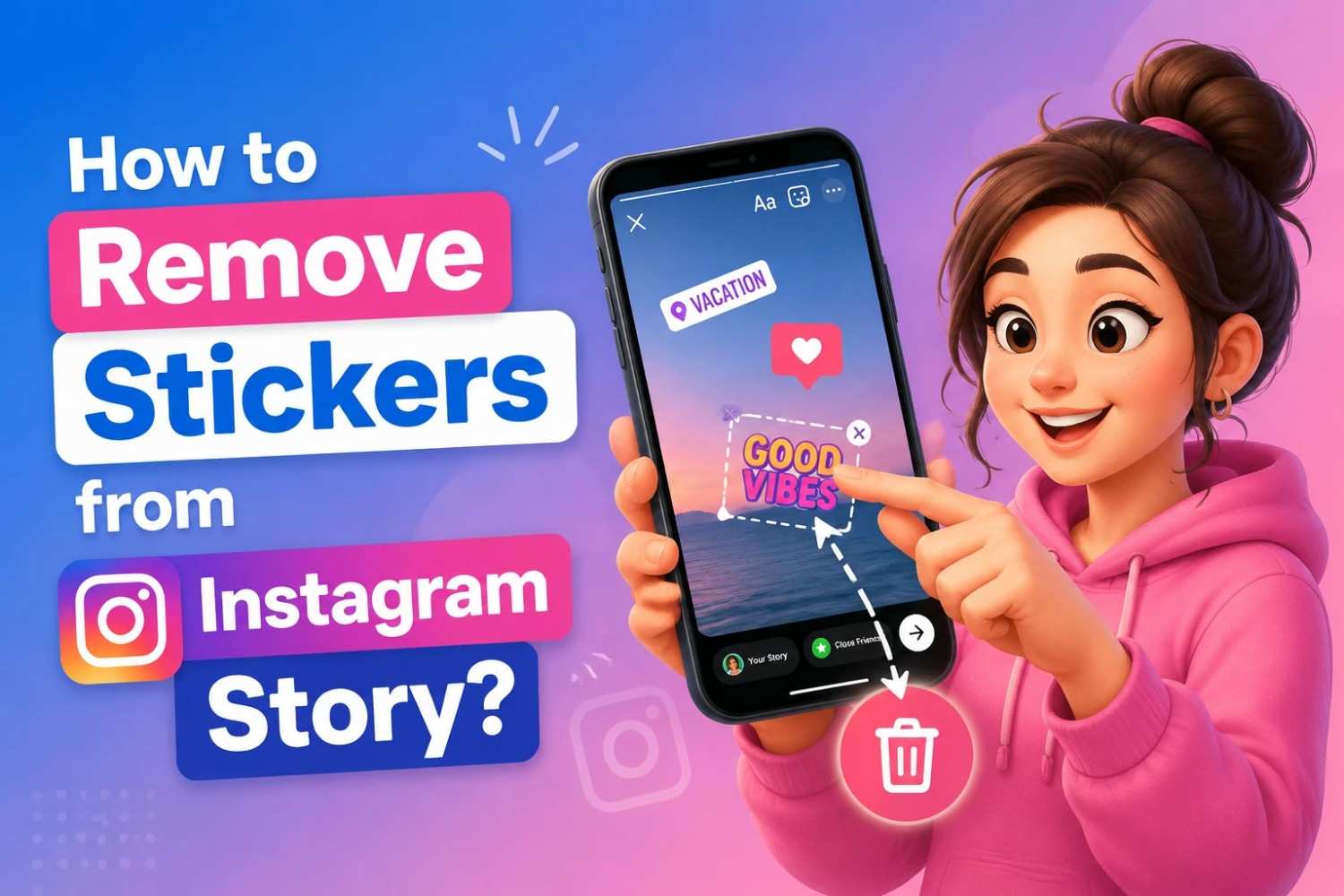
You post a story, feeling proud of the perfect shot, until you realize the annoying sticker ruined the entire vibe. It’s stuck there (mocking your aesthetic), and now you’re desperately searching for “How to remove stickers from the Instagram story?” before your followers see the mess.
Whether it’s a misplaced emoji, an accidental tag, or just too many layers, the urgency hits hard. But don’t panic; there is a straightforward way out. Stay with us, and you’ll uncover the simplest, most innovative ways to fix and delete stickers from Instagram Story fast without looking like you ever made a mistake in the first place.
Can You Remove Stickers from an Instagram Story?
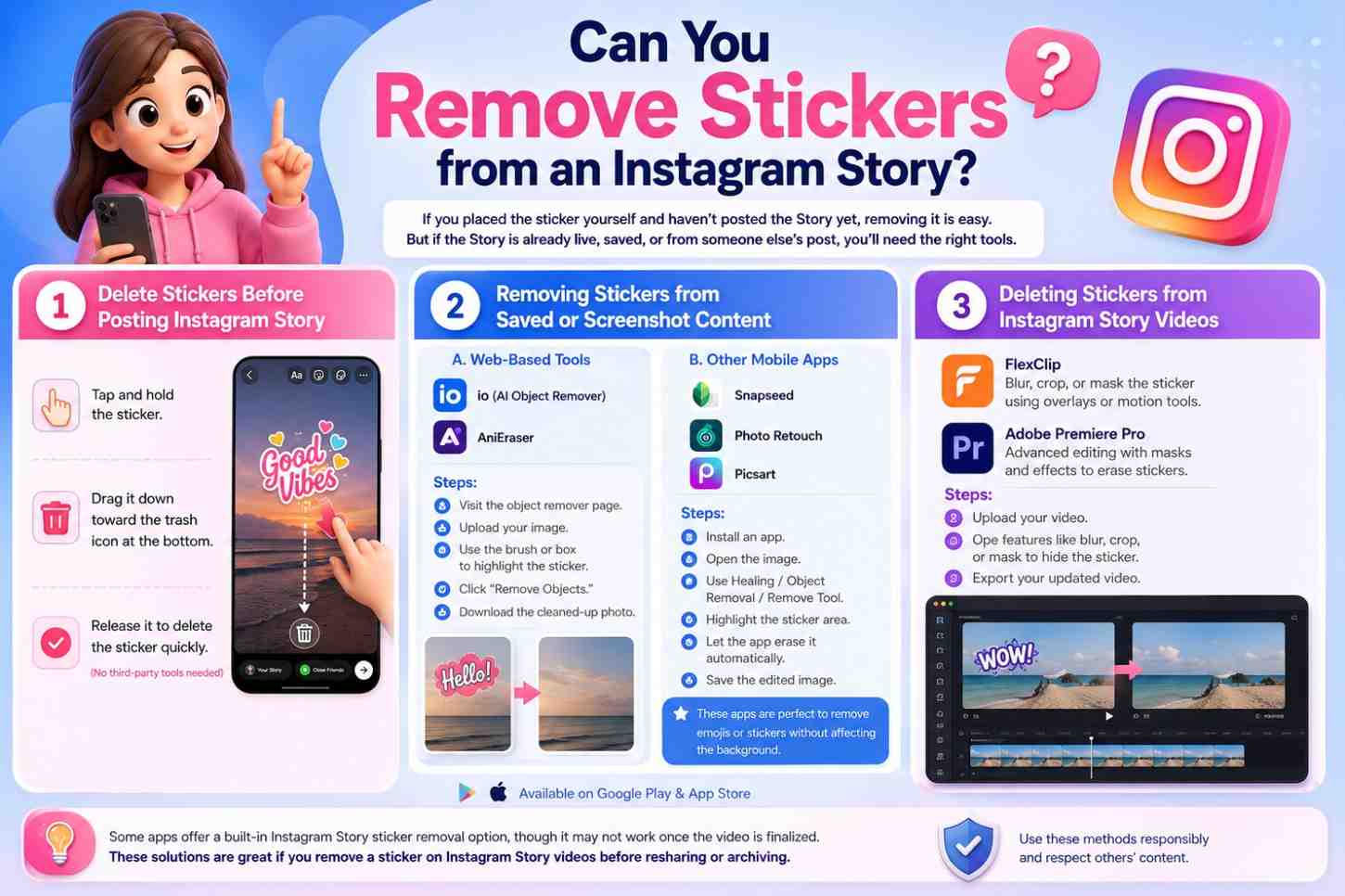
Let’s start with the truth: if you placed the sticker yourself and haven’t posted the Story yet, removing it is easy. But if the Story is already live, saved, or comes from someone else’s post, the solution requires more effort and the right tools.
There are three main situations where you might want to remove stickers from Instagram stories:
· Delete Stickers Before Posting Instagram Story
- Tap and hold the sticker.
- Drag it down toward the trash icon at the bottom.
- Release it to delete the sticker on Instagram Story quickly. (No third-party tools needed)
· Removing Stickers from Saved or Screenshot Content
If the Story has already been posted and saved (as a photo or video), you’ll need an editing tool to remove stickers from Instagram Story. Thankfully, there are advanced tools that use AI and manual features to erase these elements without damaging your content.
- Web-based Tools to Remove Stickers from Photos:
- io (AI Object Remover): An innovative, web-based tool that lets you upload an image and erase unwanted objects, like stickers, using AI.
- AniEraser: An Advanced tool designed to clear stickers from Instagram Stories (both photos and videos). Ideal for users who want a quick, high-quality edit.
- Steps:
- Visit the object remover page.
- Upload your image.
- Use the brush or box to highlight the sticker.
- Click “Remove Objects.”
- Download the cleaned-up photo.
It’s simple to take off stickers in Instagram photos without complex software.
Other Mobile Apps:
- Snapseed (iOS/Android): The mobile app uses the Healing tool to erase stickers.
- Photo Retouch App: This is an excellent application for manually removing parts of an image.
- Picsart: Offers an AI removal tool with a user-friendly interface.
Steps:
- Install an app like Snapseed, Photo Retouch, or Picsart.
- Open the image inside the app.
- Use Healing (Snapseed), Object Removal (Photo Retouch), or Remove Tool (Picsart).
- Highlight the sticker area.
- Let the app erase it automatically.
- Save the edited image.
These are perfect if you’re trying to remove emojis from an Instagram Story without affecting the background. You can download them from Google Play or the App Store.
· Deleting Stickers from Instagram Story Videos
If your Instagram Story was a video with a sticker overlaid, things get trickier but still very doable with the right video editing tools.
- FlexClip: Online video editor helps blur, crop, or mask the sticker using overlays or motion tools.
- Adobe Premiere Pro: Allows advanced editing, such as how to erase stickers on Instagram videos using masks and effects.
Steps:
- Upload your video.
- Use the different features, like blur or crop features, to hide the sticker.
- Export your updated video.
Some apps even offer a built-in Instagram Story sticker removal option, though it may not work once the video is finalized. These solutions are great if you remove a sticker on Instagram Story videos before resharing or archiving.
Can You Remove Stickers from Someone Else’s Story?
Some sites like StoryDL claim to help with that, but here’s the truth:
- Instagram flattens stickers into story images and videos once posted.
- You can’t interact with or remove the original sticker from another user’s Story.
That said, if you’ve taken a screenshot or screen recording, you can still remove unwanted elements from Story using the abovementioned tools.
- Reminder: Always respect privacy. Editing others’ content without permission isn’t ethical.
Avoid Instagram Story Sticker Mistakes (Pro Tips You Need)
Before publishing, save a sticker-free version of your Story. That way, if you change your mind, you don’t have to remove stickers from Instagram Story later.
ü Embrace Instagram’s Native Features
The best Instagram Story editing tips often start with Instagram itself. Use drafts and previews to catch sticker issues early.
If your layout looks too crowded, take a moment to fix cluttered Instagram Story designs by spacing out elements or reducing overlays.
ü Use Clean Design Principles
You don’t always need to remove a sticker; sometimes, a layout tweak does the job. Editing the Instagram Story layout properly can save you time and frustration.
For better results, explore the app’s built-in tools for the Instagram Story customization process, allowing endless experimentation without commitment. Our Instagram Story tools guide shows how to access effects, stickers, fonts, and layout changes with ease.
Final Thoughts
Whether you’re prepping the perfect Story, fixing a saved moment, or rescuing a screenshot, now you know exactly how to delete stickers from Instagram Story, even if it’s already been posted.
You’re now equipped with professional techniques, Instagram tips for clean design, and the know-how to get it right the first time.
It’s your turn! Have you ever had to clean up a messy Instagram Story or fix a sticker placement error? What are your ideas about “How to remove stickers from the Instagram story?”. What worked best for you? And if this guide helped, pass it along to someone who needs to clean up their Story game!
How to make stickers disappear on Instagram stories?
To make stickers disappear, you can either delete the sticker from your Story by tapping the sticker and selecting the trash icon or add new content to cover the sticker.
Is it possible to remove stickers from Instagram Story?
Instagram doesn’t allow you to remove stickers from a photo once it is posted. You should edit the image before posting.
How to remove stickers from other people’s snaps?
You cannot remove stickers from other people’s posts or stories. You can only interact with them as they are.
How to remove emojis from a photo to see what was hidden or covered?
You can’t directly remove emojis from photos once shared. You can use third-party photo editing tools to try to reveal the underlying image, but this is not always effective.
Can you recover deleted Instagram stories?
No, it cannot be recovered once an Instagram story is deleted. However, you can reaccess it if you have saved it to your highlights or device.