Instagram has solidified its position as one of the most popular social networking sites in the world. It provides many images, videos, and stories that enthrall consumers every day.
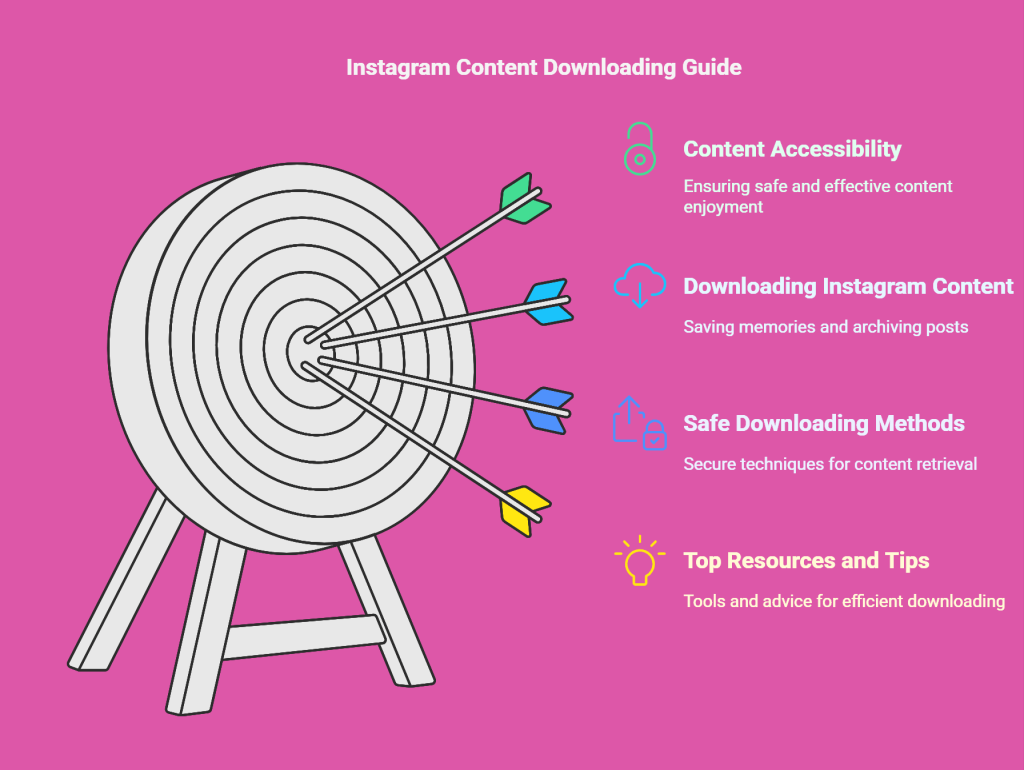
For many people, downloading Instagram content has become essential, whether they want to save memories, archive content, or see their favorite posts offline. In order to guarantee that you may enjoy and keep your material safely and effectively, this thorough tutorial will examine safe and effective ways to download Instagram posts by username.
Prepare to learn the top resources, advice, and techniques for downloading Instagram posts by username.
Let’s get started and investigate the most secure methods for maintaining your content accessibility!
What Are the Reasons for Downloading Instagram Content?
In the first step and before diving into the methods, it’s essential to understand why downloading Instagram posts by username is a widespread practice.
Here are some common reasons:
- Archiving Memories: Many people want to save their posts or those of others with sentimental value.
- Offline Access: Downloading posts allows users to view their favorite content without internet access.
- Content for Inspiration: Social media managers, influencers, and content creators often download posts for inspiration or research.
- Backup Content: If you’re concerned about losing photos or videos due to Instagram glitches or accidental deletions, downloading is a way to keep a backup.
Is It Possible to Download Instagram Posts?
Yes, it is possible to download Instagram posts, but some important factors must be considered. While Instagram doesn’t offer a direct download button for posts, there are several ways to save content from your account or others (with permission).
Let’s explore the available methods:
1. Downloading Your Own Instagram Posts
If you’re trying to download posts you’ve uploaded to Instagram, the platform offers an easy way to do so directly through its settings.
- How to Download Your Own Instagram Posts?
- Go to Settings: Open the Instagram app, go to your profile, and tap the three horizontal lines (hamburger menu) in the top-right corner.
- Request Data Download: In the “Settings” menu, go to “Privacy and Security” and select “Download Data.”
- Enter Your Email: Instagram will ask for your email address. After entering it, you’ll receive a link to download all your posts (photos, videos, and comments) in an archive format.
This method is excellent for downloading a copy of your content directly from Instagram.
2. Downloading Posts from Other Users
While Instagram doesn’t allow you to download posts directly from other users, you can still use third-party methods or tools to save content from different accounts. It’s important to remember that you should only download content that you have permission to use, and it should comply with copyright laws.
- What Are the Methods to Download Posts from Other Users?
- Third-Party Websites: Online tools like DownloadGram, InstaDownloader, ecodowloader, and SaveFromWeb allow you to download Instagram photos and videos by pasting the post’s URL. Copy the link to the post, paste it into the tool’s input box, and press “Download.”
- Apps: Apps available for Android and iOS (like FastSave or Repost for Instagram) allow you to download Instagram posts. These apps typically require you to log into Instagram via the app and give permission to download posts.
- Browser Extensions: For users accessing Instagram from a computer, browser extensions can allow you to download posts with a single click.
*Important Note:
Be sure to respect others’ intellectual property. Downloading posts from other accounts on Instagram without permission can violate copyright laws. It’s always best to ask for permission before downloading someone else’s content.
3. Screenshots and Screen Recording
You can always utilize your device’s screen recording tools or snap a screenshot for essential purposes, like storing a picture or video on your computer or phone. This approach works in an emergency but doesn’t provide a high-quality duplicate of content.
- Screenshots: Capture an image by pressing the designated button combination on your device.
- Screen Recording: For videos, use the screen recording feature on your phone or computer to save the video content.
4. Using Browser Extensions
Another option for downloading Instagram posts by username is using browser extensions. These tools are available for popular browsers like Google Chrome or Mozilla Firefox and are a convenient way to save posts directly from your web browser.
- What Are the Popular Browser Extensions?
- Instagram Downloader Extension (Chrome): This extension allows you to save Instagram posts with just one click.
- Download All Instagram Photos (Firefox): It helps users download all posts from a particular Instagram account in bulk.

How do you download Instagram posts by username for archive purposes?
Take into consideration the following techniques if you’re attempting to save posts from a particular Instagram account:
- Use a specialized tool such as Eco Downloader. This program lets you download complete Instagram profiles with posts, stories, and highlights by providing a login.
- Think about Instagram’s data download option, which allows users to save their data, such as posts, comments, and images.
- What are the steps?
- Open Instagram and go to Settings.
- Select “Privacy and Security” and then click “Download Data.”
- Request the data download, and Instagram will send you an archive file containing all your posts.
This is an excellent option for users who want to back up their content, but Instagram doesn’t allow users to download posts from other users.
In the end,
The ability to download Instagram posts by username is a valuable tool for personal and business use. Having offline access to Instagram’s vast collection of posts opens up a world of possibilities, whether you’re using the content for your company or creative endeavors, archiving treasured memories, or establishing a digital archive.
You can quickly recover your favorite content using several techniques, including browser extensions, applications, and internet tools. If you follow the necessary procedures, you can easily access your favorite articles whenever needed without sacrificing your rights or breaking any rules.
Are you prepared to step up your Instagram game? Start downloading Instagram posts by username now to get the most out of your experience and unlock the full potential of your Instagram content by getting started right away!
Finally, do not forget to share your ideas and experiences with us in the comment section. Also, send this article to your friends and tell them about these features.